What Size Thermostat Wire Do I Need? Gauge, Conductor Count and Cable Type
| Written by | Ask About HVAC Editorial Team | Expert review | ✓ J.T. Bratcher |
|---|---|---|---|
| Published | Last reviewed | ||
| Sources | 8 cited | Reading time | 5 min |
Quick answer
For almost every home thermostat, use 18 gauge (18 AWG) solid copper thermostat wire. Honeywell's T6 Pro installation guide says to use 18 to 22 gauge thermostat wire and that shielded cable is not required, so gauge is rarely the hard part. The real choice is how many conductors the cable has. Count the terminals your system uses, make sure one of them is a C (common) wire, and buy a cable with at least one spare.
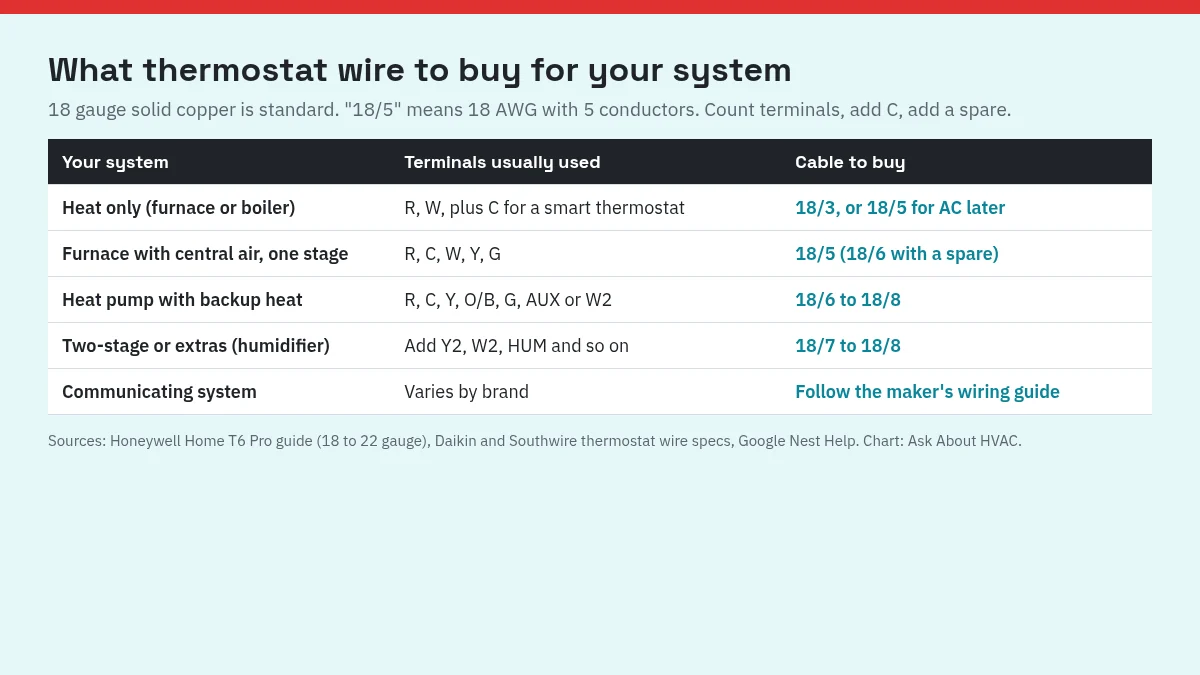
| Your system | Terminals usually used | Cable to buy |
|---|---|---|
| Heat only (furnace or boiler, no AC) | R, W, plus C for a smart thermostat (G only if the fan is controlled separately) | 18/3, or 18/5 to leave room for AC later |
| Furnace with central air, one stage | R, C, W, Y, G | 18/5 (18/6 for a spare) |
| Heat pump with electric backup heat | R, C, Y, O/B, G, AUX or W2 | 18/6 to 18/8 |
| Two-stage heat or cooling, or extras like a humidifier | Add Y2, W2, HUM and so on | 18/7 to 18/8 |
| Communicating system | Varies by brand | Follow the equipment maker's wiring guide |
What the numbers on the label mean
Thermostat cable is sold as two numbers, like 18/5. The first is the wire size in AWG. The second is the number of separate insulated conductors inside the outer jacket. Daikin's thermostat wire product bulletin lists 18 gauge sizes from 18/2 up to 18/12 and gives the color order as conductors are added:
- 18/2: red, white
- 18/3: adds green
- 18/4: adds blue
- 18/5: adds yellow
- 18/6: adds brown
- 18/7: adds orange
- 18/8: adds black
That bulletin describes thermostat wire as a class 2 power-limited circuit cable for thermostat control, with solid copper conductors and a 150 volt rating under NEC Article 725. Southwire's 18/5 thermostat cable has the same specs: 18 AWG solid copper, five conductors in red, white, green, blue and yellow, a 150 volt rating per NEC Article 725, and Type CL2.
Step 1: Count the terminals you need
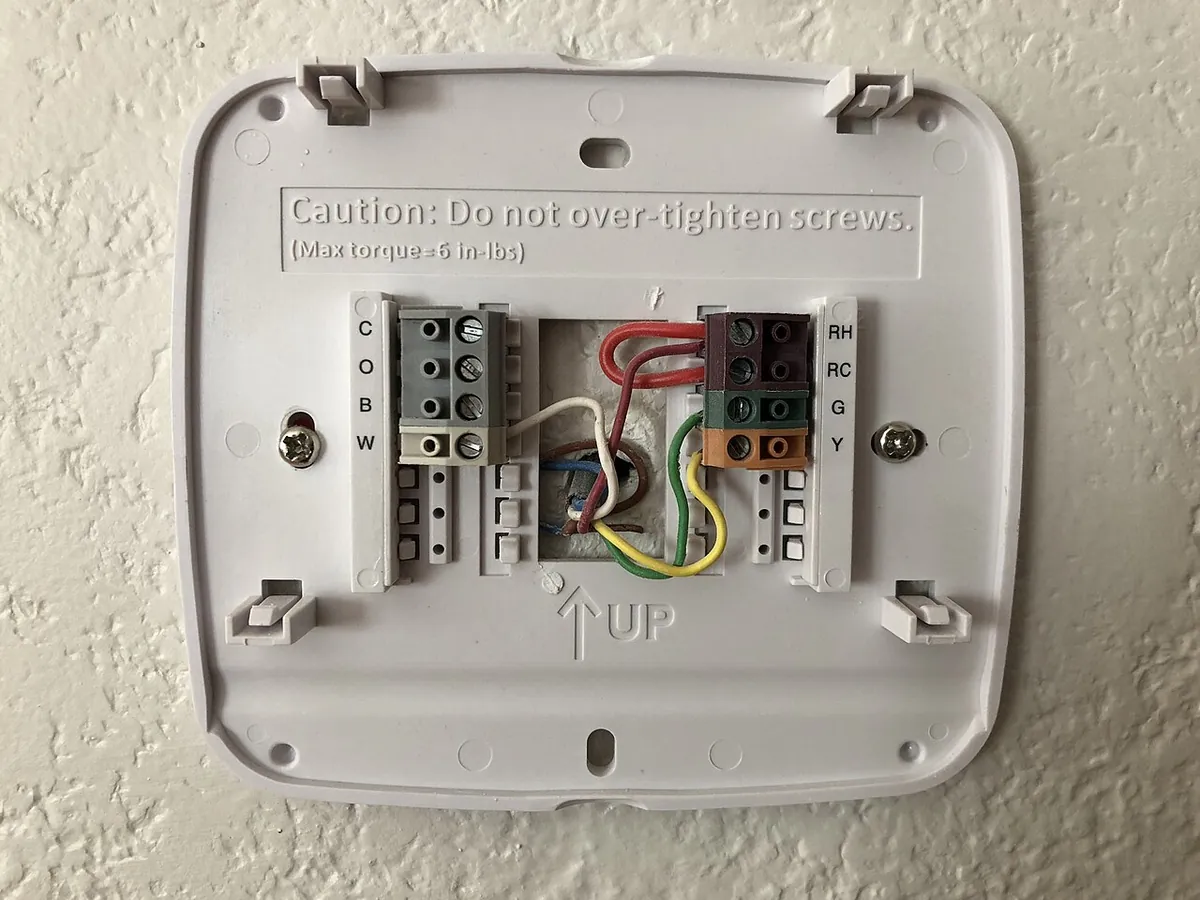
Take the thermostat off its base (with the power off) and look at which terminals have wires. Google Nest Help's guide to identifying thermostat wires explains the common labels:
- R (or Rh and Rc): the power wire for the system.
- C: the common wire. Nest Help says it connects your system to the common ground and can help provide power to the thermostat.
- W: heat. Y: cooling (or the compressor on a heat pump). G: the fan.
- O/B: the reversing valve on a heat pump.
- Y2, W2, AUX, E: second stages, auxiliary heat and emergency heat.
Short jumper wires between two terminals (often Rc and Rh) do not count. Nest Help notes that jumpers connect two thermostat terminals together and do not run back into the wall.
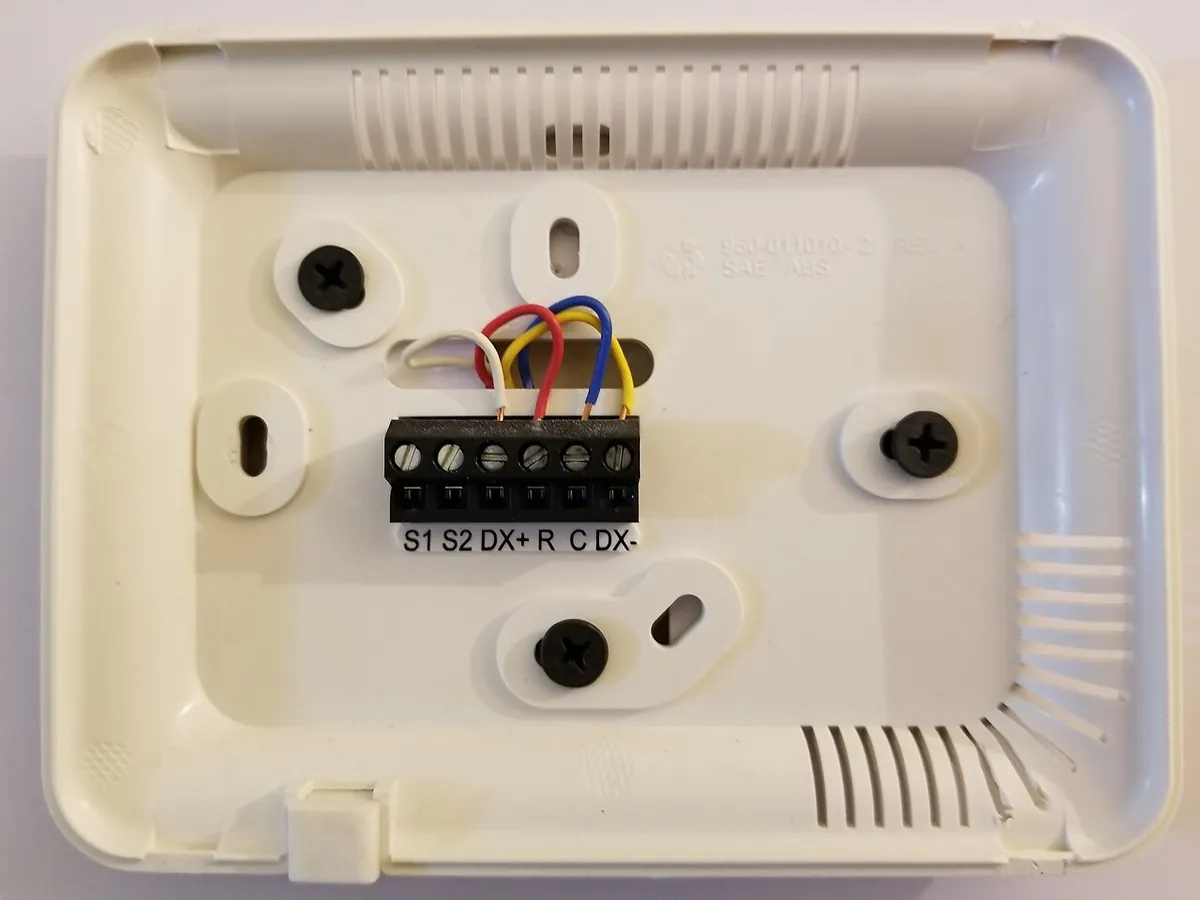
Also count terminals at the other end. The wires at the thermostat should match connectors with the same labels on the furnace or air handler control board. A smart thermostat needs a C wire, so if your old cable has no conductor on C, a new run is the time to add one.
Step 2: Add a spare
We suggest buying one or two more conductors than you need today. Pulling new cable through a finished wall is the expensive part of the job, and the spares cover a broken conductor, a future C wire, a humidifier, or a move to a heat pump. Leave unused conductors unconnected at both ends.
Step 3: Pick the gauge and cable type
18 gauge is the usual choice. Honeywell's T6 Pro accepts 18 to 22 gauge, and Daikin sells both 18 and 20 gauge cable. Thinner wire has more resistance. Daikin lists a nominal 6.32 ohms per 1,000 feet per conductor for 18 AWG and 10.73 ohms per 1,000 feet for 20 AWG. On a long run to an attic air handler or an outdoor unit, the thicker 18 gauge wire is the easier choice.
Solid, not stranded. Daikin and Southwire both list solid copper conductors for their thermostat cable. Nest Help says the stripped end of each wire should be about 1/3 to 1/2 inch long, clean and straight, and that you should cut and re-strip any crooked or corroded ends.
Plenum spaces. Standard thermostat cable is rated CL2. Southwire also sells a plenum-rated thermostat cable, Type CMP and CL2P, with a white jacket and a 300 volt rating. If the cable will run through a space used to move air, ask your local building inspector which rating your run needs.
Wiring mistakes that matter more than gauge
- Wires that look the same. Before you disconnect anything, Nest Help says to make sure each wire to the thermostat is a different color. If two or more are the same color, you cannot tell them apart at the other end.
- The W terminal on a heat pump. Honeywell's T10 Pro wiring diagrams warn not to connect any wire to W for heat pump applications, because it can cause heat to run continuously. Follow your thermostat's own diagram for where backup heat connects.
- A "B" wire that is really common. Nest Help notes that on some systems the wire in the old thermostat's B terminal is actually a C wire. Check what it does before you connect it.
- Voltage. Thermostats run on low voltage supplied by the HVAC system. Nest's technical specifications list a 20 to 30 volt AC requirement. Do not connect thermostat wire to household line voltage.
If your new thermostat does not detect a wire after you install it, Nest Help's page on undetected or unconfigured thermostat wires says to check that each wire end is straight, fully inserted and not corroded.
What you can check, and when to call
You can count terminals, buy the right cable and swap a thermostat on an existing run yourself, with the power off at the breaker or system switch. Call an HVAC technician if two wires share a color and you cannot trace them, if the control board labels do not match your thermostat, if you have a heat pump with backup heat and are not sure where AUX goes, or if a new run has to go through a plenum or between floors.
If your thermostat starts clicking or short cycling after a rewire, our guide to why a thermostat clicks explains which clicks are normal.
FAQ
Is 18 gauge or 20 gauge thermostat wire better?
Both are made for thermostats, and Honeywell's T6 Pro accepts 18 to 22 gauge. 18 gauge has less resistance: Daikin lists about 6.32 ohms per 1,000 feet per conductor for 18 AWG and 10.73 ohms for 20 AWG. For long runs, or if you are unsure, 18 gauge is the safer pick.
What does 18/5 mean on thermostat wire?
The first number is the wire size (18 AWG) and the second is how many separate conductors are inside the jacket (5). Daikin's 18/5 cable has red, white, green, blue and yellow conductors.
Can I use any low voltage wire for a thermostat?
Use cable sold as thermostat wire. Daikin describes it as a class 2 power-limited circuit cable for thermostat control, with solid copper conductors, rated 150 volts under NEC Article 725. Leftover speaker wire or lamp cord is not a substitute.
Do I need shielded thermostat wire?
Not for a typical thermostat. Honeywell's T6 Pro instructions say shielded cable is not required.
How many wires do I need for a smart thermostat?
Enough for every terminal your system uses plus a C (common) wire. Google Nest Help explains that the C wire can help provide steady power to the thermostat. A furnace with central air usually uses five: R, C, W, Y and G.
Sources
| # | Source | Site |
|---|---|---|
| 1 | Installing Your T6 Pro Programmable Thermostat, Honeywell Home | honeywellhome.com |
| 2 | Thermostat Wire product bulletin, Daikin | cdn.daikincloud.io |
| 3 | 18 SOL CU 5/C CL2/CMH PVC BROWN 250 FT, Southwire | southwire.com |
| 4 | 18 SOL CU 5/C N/S CMP/CL2P PVC-LS WHITE 250 FT (plenum rated), Southwire | southwire.com |
| 5 | Identify a thermostat wire, Google Nest Help | support.google.com |
| 6 | Fix an undetected, unconfigured, or unspecified thermostat wire, Google Nest Help | support.google.com |
| 7 | Nest thermostat technical specifications, Google Nest Help | support.google.com |
| 8 | T10 and T10+ Pro Product Data: Wiring Diagrams, Honeywell Home (Resideo) | docs.honeywellhome.com |
Every number above was checked against these sources. Found an error? See corrections or email contact@askabouthvac.com.

J.T. Bratcher
- License
- TACLB00138638E
- Type
- Texas Air Conditioning and Refrigeration Contractor License (Environmental, Class B)
- Status
- Current · expires April 11, 2027
- Checked
- October 18, 2026 via TDLR All Licenses dataset (data.texas.gov), license 138638
Related answers
- Th · Thermostats
Why Does My Thermostat Go Up on Its Own? 7 Settings That Change It
A thermostat that changes by itself is usually following a setting: early start, a hold ending, a utility energy event, away mode, a learning schedule or a wrong clock. How to find which one and turn it off.
- Th · Thermostats
Why Is My Thermostat Clicking? Normal Clicks vs Signs of a Problem
A single soft click when heating or cooling starts and stops is the thermostat's relay doing its job. Rapid clicking, no click at all, or beeping each point to something different. Here is how to tell which one you have.
- Th · Thermostats
Why Is My Thermostat Showing the Wrong Temperature? 5 Reasons and Fixes
A thermostat that disagrees with your thermometer is often working normally. Rounding, humidity settings, sensor averaging, a bad location or a draft from the wall hole explain most wrong readings. Here is how to tell which one.