Why Is My Thermostat Showing the Wrong Temperature? 5 Reasons and Fixes
| Written by | Ask About HVAC Editorial Team | Expert review | ✓ J.T. Bratcher |
|---|---|---|---|
| Published | Last reviewed | ||
| Sources | 8 cited | Reading time | 6 min |
Quick answer
A thermostat that disagrees with the thermometer on your shelf is often working normally. Thermostats round the number they show, they let the room drift a little before turning the system on, and some deliberately show a "feels like" or averaged temperature. When the reading really is off, the usual causes are where the thermostat sits, air leaking in from the hole behind it, or a small calibration difference you can correct in settings. The chart below helps you tell which one you have.
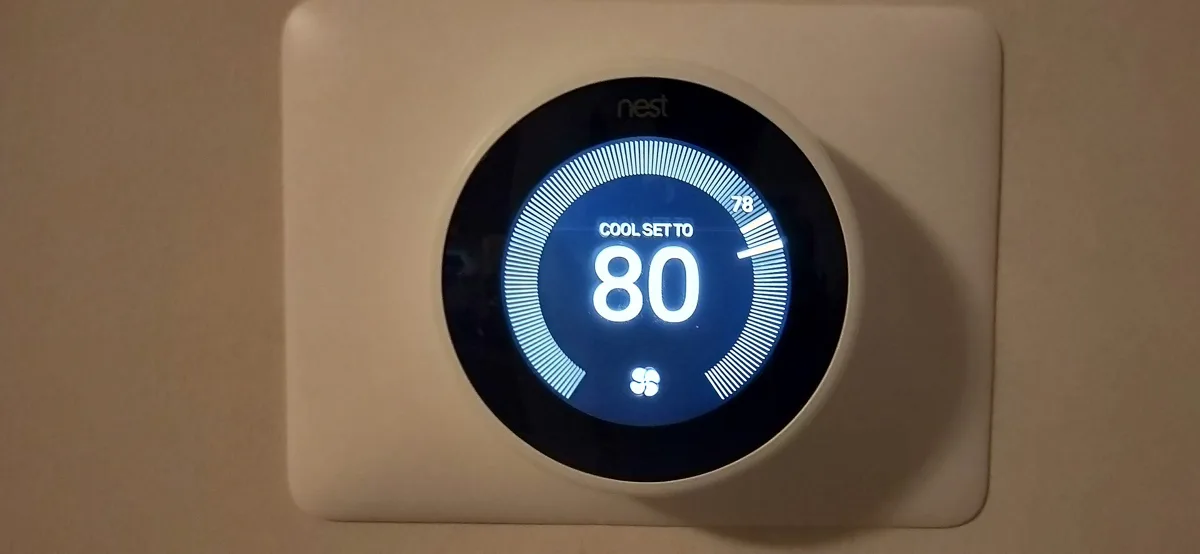
First, check it against a thermometer
Put a thermometer you trust right beside the thermostat, at the same height, and give both time to settle. Then note two things: how big the gap is, and whether it stays the same through the day or changes with sun, drafts and the system running. That pattern points to the cause.
Do not expect a perfect match. Honeywell's support page on thermostats that read differently from a thermometer explains that its digital thermostats are designed to read temperature the way people sense it. They take in the radiant temperature of objects in the room, such as walls and furniture, as well as the air. Most room thermometers read only the air, so Honeywell says they will not match the thermostat.
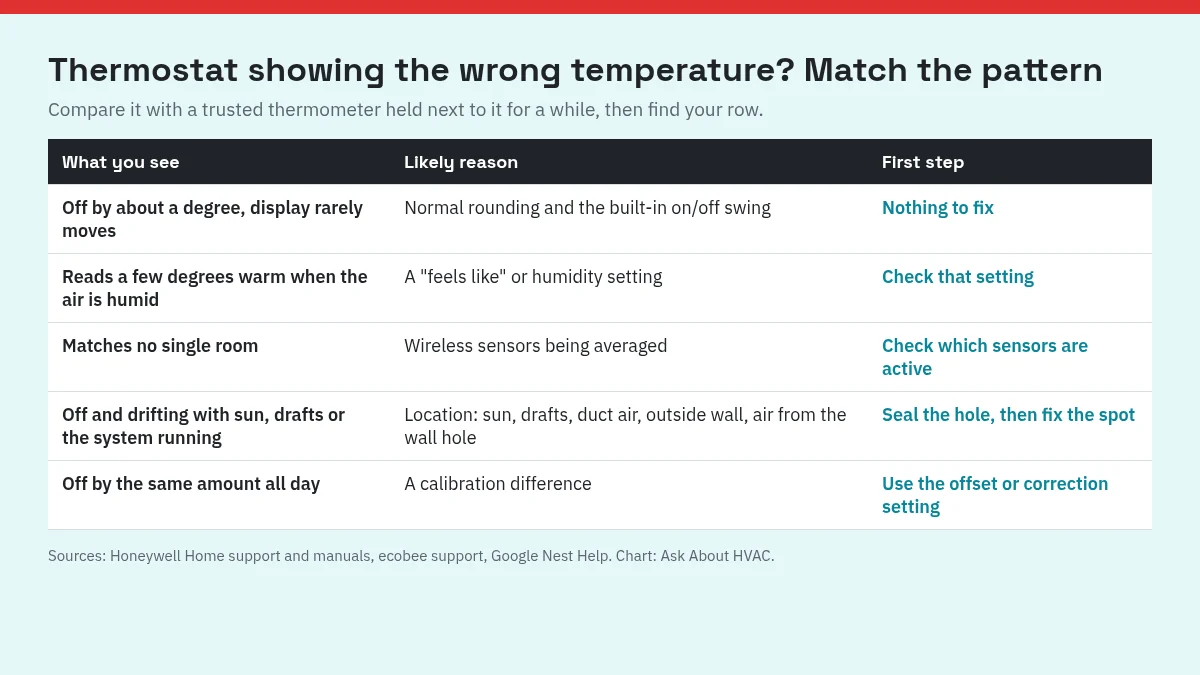
| What you see | Likely reason | First step |
|---|---|---|
| Off by about a degree, display rarely moves | Normal rounding and the built-in on/off swing | Nothing to fix |
| Reads a few degrees warm when the air is humid | A "feels like" or humidity setting | Check that setting |
| Matches no single room | Wireless sensors being averaged | Check which sensors are active |
| Off and drifting with sun, drafts or the system running | Location, or air coming from the wall hole | Seal the hole, then fix the spot |
| Off by the same amount all day | A calibration difference | Use the offset or correction setting |
1. Rounding and the built-in swing
Small differences are built in. Honeywell says its thermostats round the display to the nearest whole number (half a degree in Celsius). If the thermostat is set to 72, the system turns on and off as the room falls to 71 or rises to 73, but the display stays at 72 so it does not jump up and down.
Many thermostats also wait for the room to drift before starting the system again. Google calls this the maintenance band. In its maintenance band example, a Nest set to cool to 70°F with a 1°F band cools the house to 69°F, turns the AC off, and waits until the room reaches 71°F before cooling again. Google says the delay helps prevent wear and the energy use that comes with frequent starts. If you think your system starts and stops too often, see how long an AC should run to cool one degree.
ecobee gives a number for sensor accuracy too: its Temperature Correction page lists the thermostat sensor's sensitivity variance as plus or minus 1°F (0.5°C).
2. A setting that changes the number on purpose
Some thermostats show an adjusted temperature by design.
- Humidity adjustment. Honeywell's X7 troubleshooting page says its Feels Like Temperature setting can make the indoor reading show a few degrees warmer when relative humidity is high. ecobee's page on inaccurate temperature readings says that when Adjust the Temperature for Humidity is on, the thermostat displays a feels-like temperature and an eco+ logo appears. If humidity indoors runs high in summer, AC fan On vs Auto is worth a look as well.
- Sensor averaging. ecobee says that with Smart Sensors connected, the temperature on the screen is the average of all participating sensors, so it may not match the room you are standing in. You can check which sensors are participating in the Sensors menu. Honeywell says thermostats with wireless sensors can be set to measure at the thermostat, at a sensor, or as an average.
3. The thermostat is in the wrong spot
A thermostat reads the air around it, not the whole house. Honeywell's T10 installation guide says to mount it about 5 ft (1.5 m) above the floor, in an area with good air circulation at average temperature, and not where it can be affected by:
- Drafts, or dead air behind doors and in corners
- Hot or cold air from ducts
- Radiant heat from sun or appliances
- Hidden pipes and chimneys
- An unheated or uncooled area, such as an outside wall, behind it
ecobee adds return vents, windows and doors to the list, along with spots in direct sunlight.
Height matters too. In its temperature sensor setup guide, Google recommends placing a sensor about chest high because air is generally warmer near the ceiling and cooler near the floor. It also notes that rooms differ with their windows, the way they face and their ceiling height, and that even in one room a high shelf and a low table read differently.
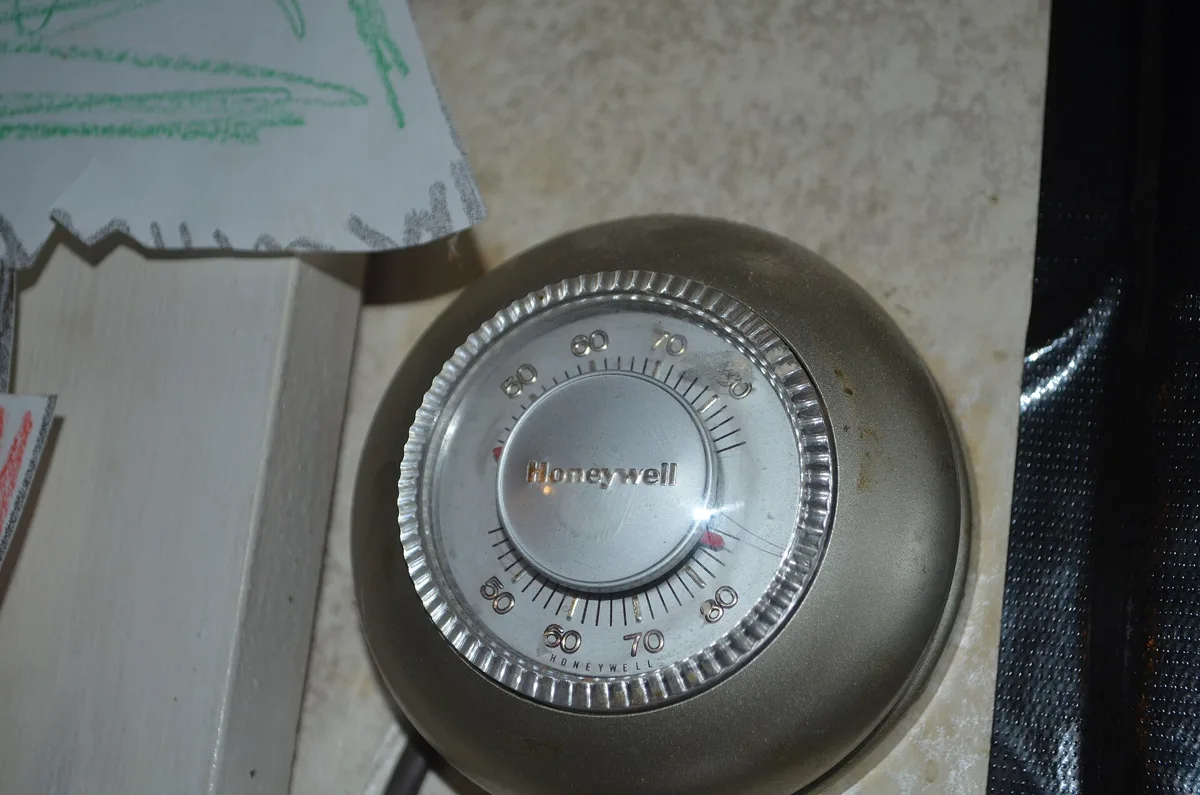
If you cannot move it, ecobee suggests adding its Smart Sensors and using them as the only temperature reading. Moving a wired thermostat is a wiring job, and Honeywell's guide says installation should be done by a trained, experienced service technician.
4. Air leaking from the hole behind it
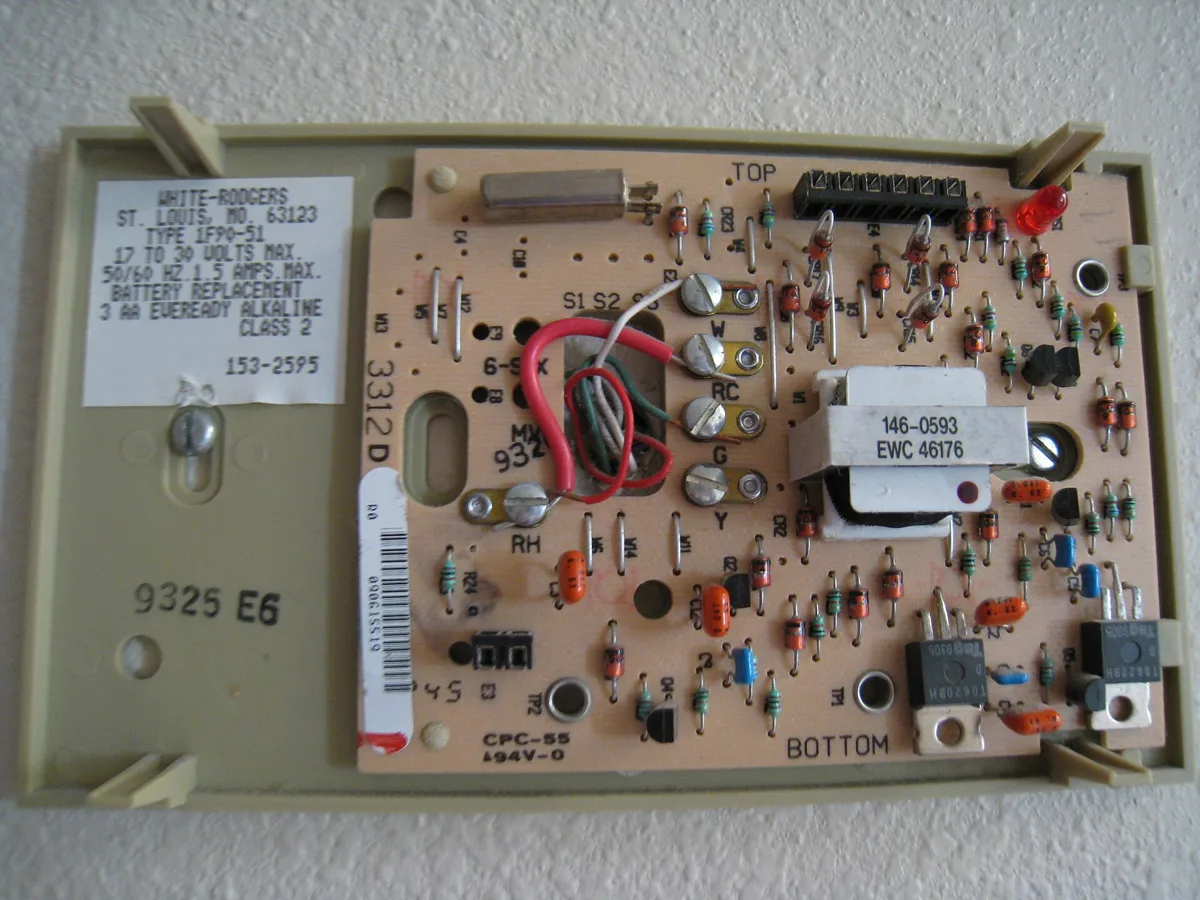
ecobee says the most common installation cause of inaccurate temperature and humidity readings is a hole around the wiring behind the thermostat. Air from inside the drywall reaches the sensors, and that air is usually a different temperature and humidity than the room.
ecobee's fix, step by step:
- Remove the thermostat, then the terminal plate and trim plate if you have one.
- Push any extra wire back into the wall.
- Press plumber's putty directly onto the wall so every hole is sealed and the putty sits flat.
- Take a photo for reference, then put the thermostat back.
ecobee warns that putting the putty on top of the terminal plate, or leaving extra wire outside the wall, will not fix the readings and can make them worse. Turn off power to the heating and cooling system first; Honeywell's installation guide warns to disconnect power before working on wiring.
5. A steady calibration difference
If the thermostat is off by the same amount all day, you can usually correct it in settings.
- Honeywell: indoor display offsets can make the display read up to 3 degrees higher or lower than the sensor (X7 manual).
- ecobee: Temperature Correction adjusts the sensor reading by up to plus or minus 10°F (5.6°C). On most models it sits under Main Menu > General > Settings > Installation Settings > Thresholds. On the Smart Thermostat Lite and Essential, go to Main Menu > Settings > Installation Settings > Thresholds.
ecobee says to use correction only when the thermostat is a consistent amount higher or lower than other readings. If the amount it is off keeps changing, the cause is more likely one of the location or wall-hole problems above, and an offset will only hide it.
What you can check, and when to call
Safe for a homeowner:
- Compare the thermostat with a thermometer placed beside it.
- Check for humidity or feels-like settings and which wireless sensors are active.
- Keep heat-producing appliances away from it and direct sun off it.
- Set an offset or correction for a steady difference.
- With power off, seal the wall hole behind it as described above.
Call a technician when:
- The thermostat needs to move to a better wall.
- Readings stay wrong after the checks above.
- The system starts and stops in ways that do not match the setting. If it also clicks over and over, read why a thermostat clicks.
FAQ
Why does my thermostat say a different temperature than my thermometer?
Both can be working. Honeywell says its digital thermostats take in the radiant temperature of walls and furniture as well as the air, while most room thermometers read only the air, so the two will not match. Honeywell thermostats also round the display to the nearest whole degree.
How far off is normal?
A degree or so is expected. ecobee lists its thermostat sensor's sensitivity variance as plus or minus 1°F, and Google's Nest example lets the room drift 1°F either side of the setting before the system turns back on. A gap that stays bigger than that is worth checking.
Can I calibrate my thermostat?
Many models have a setting for it. Honeywell's indoor display offset moves the reading up to 3 degrees higher or lower, and ecobee's Temperature Correction allows up to plus or minus 10°F. ecobee says to use it only when the thermostat is off by a consistent amount.
Why does my thermostat read warmer when it is humid?
Check for a humidity setting. Honeywell's Feels Like Temperature can make the reading a few degrees warmer when relative humidity is high, and ecobee's Adjust the Temperature for Humidity shows a feels-like temperature.
Why is my thermostat reading wrong after it was installed?
ecobee says the most common install cause is a hole around the wiring behind the thermostat, which lets the sensor pick up air from inside the wall. It recommends pushing extra wire back into the wall and sealing the hole with plumber's putty.
Sources
| # | Source | Site |
|---|---|---|
| 1 | Why does my thermostat read differently from a thermometer?, Honeywell Home support | honeywellhome.com |
| 2 | X7S & X7B Installation and User Manual: Troubleshooting and Support, Honeywell Home (Resideo) | docs.honeywellhome.com |
| 3 | T10 and T10+ Pro Product Data: System Installation, Honeywell Home (Resideo) | docs.honeywellhome.com |
| 4 | My ecobee temperature is inaccurate, ecobee Support | support.ecobee.com |
| 5 | How to use Temperature Correction on your ecobee thermostat, ecobee Support | support.ecobee.com |
| 6 | Learn about your thermostat's maintenance band, Google Nest Help | support.google.com |
| 7 | Set up and install your Nest Temperature Sensor, Google Nest Help | support.google.com |
| 8 | Troubleshooting when a Nest Temperature Sensor isn't in a good spot, Google Nest Help | support.google.com |
Every number above was checked against these sources. Found an error? See corrections or email contact@askabouthvac.com.

J.T. Bratcher
- License
- TACLB00138638E
- Type
- Texas Air Conditioning and Refrigeration Contractor License (Environmental, Class B)
- Status
- Current · expires April 11, 2027
- Checked
- October 18, 2026 via TDLR All Licenses dataset (data.texas.gov), license 138638
Related answers
- Th · Thermostats
Why Is My Thermostat Clicking? Normal Clicks vs Signs of a Problem
A single soft click when heating or cooling starts and stops is the thermostat's relay doing its job. Rapid clicking, no click at all, or beeping each point to something different. Here is how to tell which one you have.
- Th · Thermostats
Should Your AC Fan Be On or Auto? What the Humidity Research Shows
In humid climates, keep the AC fan on Auto: measured tests show fan On puts water from the coil back into your air. When On or Circulate makes sense, and a simple test for your home.
- Th · Thermostats
Thermostat Says "Waiting for Equipment": What It Means and How Long to Wait
"Waiting for Equipment" on a Honeywell Home thermostat is a built-in compressor protection delay. It should clear within about 5 minutes. If it stays longer, the cause is usually an alert lockout or a power problem at the thermostat.